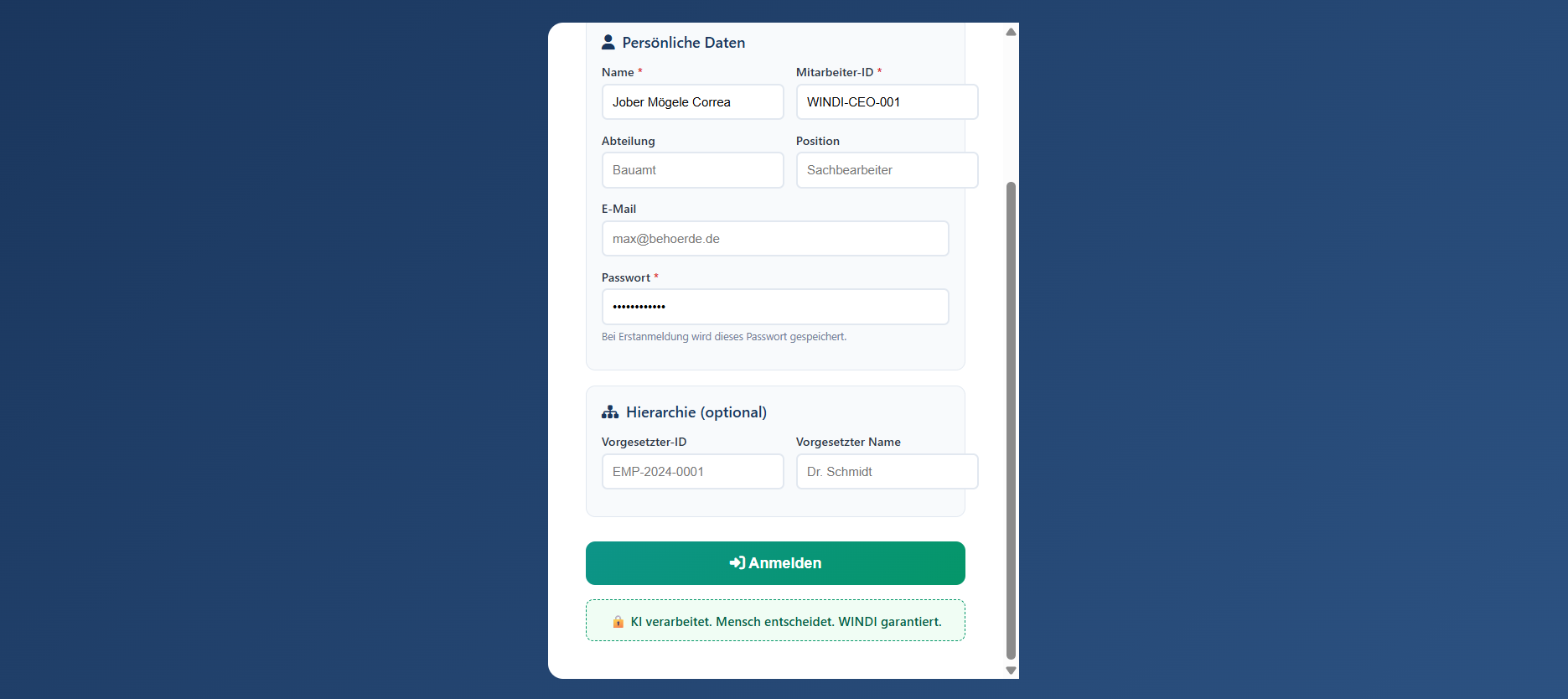
Persönliche Daten (Personal Data)
Name and Mitarbeiter-ID (Employee ID) for institutional identification.
A4 Desk BABEL — Visual Reference
USER GUIDE v1.0The secure entry point to the WINDI System. All users must authenticate with institutional credentials.
 ① Personal Data
② Department & Role
③ Secure Password
④ Hierarchy (Optional)
⑤ Login Button
⑥ WINDI Principle
① Personal Data
② Department & Role
③ Secure Password
④ Hierarchy (Optional)
⑤ Login Button
⑥ WINDI Principle
Name and Mitarbeiter-ID (Employee ID) for institutional identification.
Department and role assignment for access control and document attribution.
Authentication credential. Stored securely on first login.
Supervisor reference for approval workflows and escalation paths.
Submit credentials to access the system.
"KI verarbeitet. Mensch entscheidet. WINDI garantiert." — Always visible reminder.
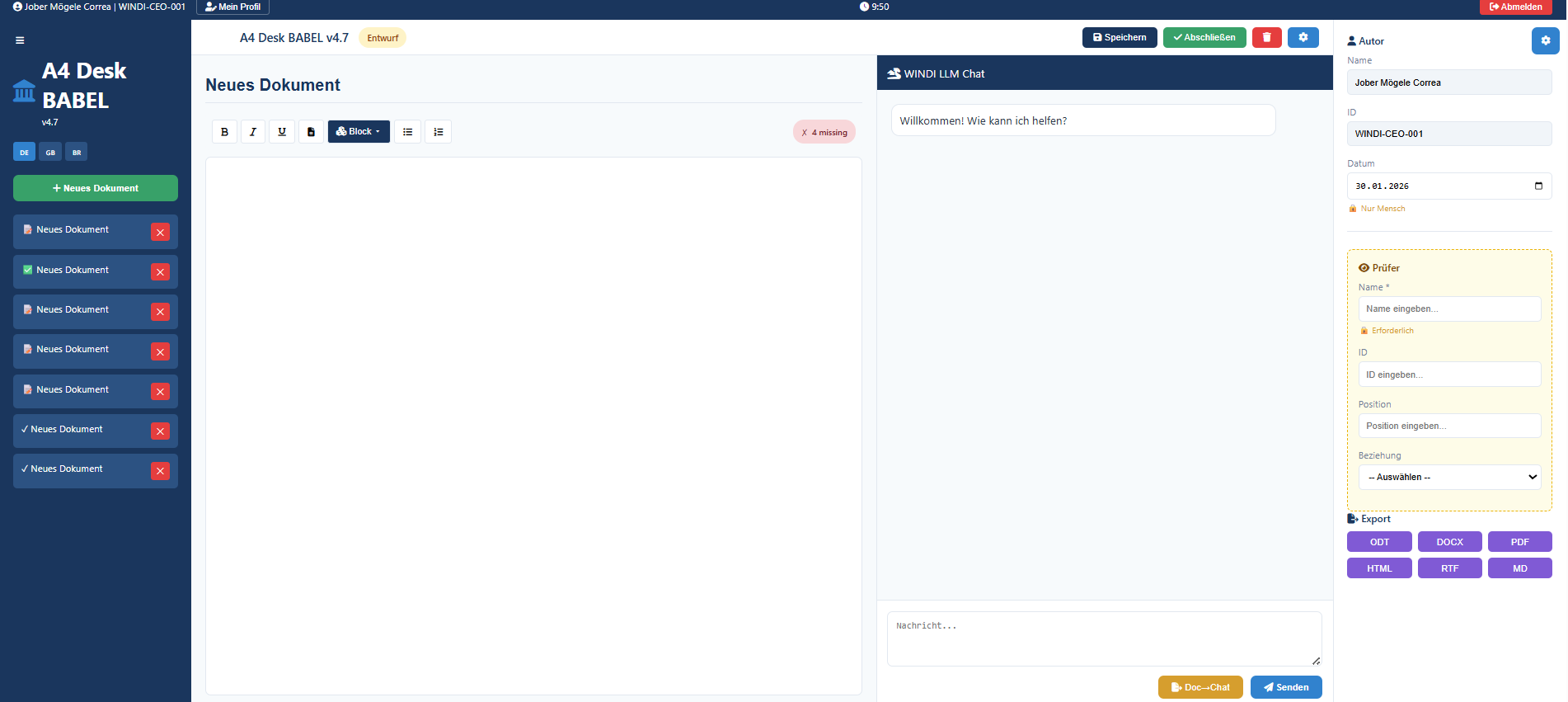
The primary workspace combining document editing, AI assistance, and governance controls.
 ① User & Session
② Action Buttons
③ Sidebar Navigation
④ Document List
⑤ Editor Toolbar
⑥ Document Editor
⑦ AI Chat Panel
⑧ Author Metadata
⑨ Reviewer Assignment
⑩ Export Options
① User & Session
② Action Buttons
③ Sidebar Navigation
④ Document List
⑤ Editor Toolbar
⑥ Document Editor
⑦ AI Chat Panel
⑧ Author Metadata
⑨ Reviewer Assignment
⑩ Export Options
Logged-in user identity, profile access, and session timestamp.
Speichern (Save), Abschließen (Finalize), and system controls.
System branding, version info, and language selection (DE/EN/PT).
All documents with status indicators. Create new or select existing.
Formatting controls: Bold, Italic, Underline, Block types, Lists.
Rich text editing area. All content created and approved by humans.
AI assistant panel. Suggestions require human review and approval.
Document author information, date, and human authorship indicator.
Assign reviewer for approval workflow. Four-eyes principle enforcement.
Multiple formats: ODT, DOCX, PDF, HTML, RTF, MD. PDF includes QR verification.
1. Login with institutional credentials
2. Click "+ Neues Dokument" to create document
3. Use toolbar to format content
4. Ask WINDI Chat for assistance (optional)
5. Review and edit AI suggestions
6. Assign Prüfer (Reviewer) if required
7. Click "Speichern" to save draft
8. Click "Abschließen" to finalize
9. Export as PDF with WINDI-RECEIPT